My TG500 Journey: A $100 eBay Find and a Frustrating Discovery
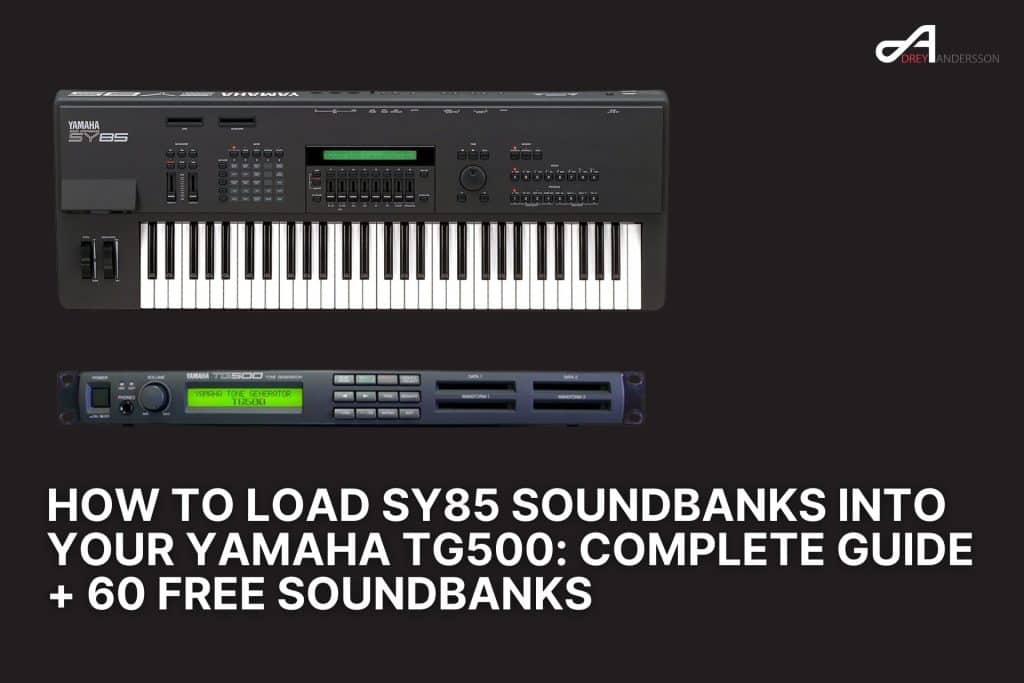
I recently scored a used Yamaha TG500 off eBay for just $100 – an absolute steal for this classic 90s rack module! As soon as it arrived, I was excited to dive into the world of Yamaha AWM2 synthesis and load up some of the legendary SY85 soundbanks I’d found online.
That’s when I hit a wall.
The TG500, despite being essentially a rack-mounted version of the SY85, has no floppy disk drive. All those incredible SY85 sound banks available online come in .G01 format – designed for floppy disks. I couldn’t find a straightforward way to load sounds TG500 from these files, and I definitely didn’t want to buy an expensive SY85 just to transfer patches.
After hours of research and forum diving, I discovered the solution. This TG500 tutorial will show you exactly how I solved this problem and successfully got my TG500 sound banks loaded using free software and simple SysEx transfer methods.
The Solution: SYTG Conversion Software for TG500 Soundbanks
A developer named SoundWerx created SYTG (SY/TG Tools), a free Windows utility specifically designed for .G01 conversion into SysEx format compatible with both the SY85 and TG500. This tool makes it possible to load sounds TG500 users previously couldn’t access.
What You’ll Need
- Windows PC (the software is Windows-only)
- MIDI interface connected to your computer
- MIDI cables to connect your TG500
- SysEx transfer software like MIDI-OX (Windows) or Bomes SendSX
- SYTG software (download from YamahaMusicians.com forum)
- SY85 Sound Disk Collection – Contains 60+ Disk Images
Step-by-Step TG500 Tutorial
Step 1: Download and Install SYTG
- Visit the YamahaMusicians.com forum
- Search for the thread “Giving away software I’ve written for the SY85 and TG500”
- Download the latest version (SYTG 1.0.3.2 or newer)
- Extract the .rar file to a folder on your computer
- Run SYTG.exe (no installation required)
Step 2: Configure SYTG Settings for SY85 to TG500 Transfer
- Open SYTG and go to the Settings tab
- Select your target device: TG500
- Configure your MIDI interface in the MIDI settings
- Set your preferred output directory for converted Yamaha synthesizer patches
Step 3: Convert .G01 Files to SysEx
SYTG offers two conversion methods for .G01 conversion:
Method A: Batch Conversion (Recommended for Multiple TG500 Sound Banks)
- Click the Convert tab
- Select Batch Convert mode
- Choose whether to create:
- FULL files (all voices and performances together)
- Split files (separate VCE and PFM files)
- Browse to your .G01 files
- Click Convert – the process is extremely fast
- Converted .syx files will be saved to your output directory
Method B: Direct Transmission
- Load a .G01 file in SYTG software
- Browse the presets using the built-in browser
- Click Transmit to send directly to your TG500 via MIDI
Step 4: SysEx Transfer to Your TG500
Important: Disable Memory Protect Before any SysEx transfer, press UTILITY on your TG500 and turn Memory Protect OFF.
Using MIDI-OX for SysEx Transfer (Windows):
- Open MIDI-OX
- Go to View → SysEx
- Click SysEx → Send SysEx
- Select your converted .syx file containing TG500 sounds
- Click Send – the transfer takes just a few seconds
- Your TG500 will display the new banks
Using SYTG Direct Transmission:
- Open your .G01 file in SYTG
- Select your MIDI output device
- Click Transmit to Synth
- Wait for confirmation on your TG500 display
Critical Limitations When Converting SY85 Sound Banks
1. RAM Memory Limitations for TG500 Sound Banks
The TG500 has significantly less RAM than the SY85:
- SY85: 4 × 64 voices, 2 × 64 performances
- TG500: 2 × 64 voices, 1 × 64 performance
What this means for loading SY85 to TG500: You can only load half of a full SY85 bank at once. When converting full SY85 sound banks, SYTG creates two files (FULL_1 and FULL_2). You’ll need to load them separately and choose which TG500 sounds you want to keep.
2. Sample-Dependent Sounds Won’t Work
This is the biggest limitation when you load sounds TG500 from SY85 sources. Many .G01 files contain custom samples that are referenced by the Yamaha synthesizer patches. The .G01 conversion only converts the voice programming data, not the samples.
How to identify sample-dependent TG500 sound banks:
- SYTG software displays sample information when you load a .G01 file
- Look for “.W01” or “.W02” files accompanying the .G01 file
- Some sounds will load but produce no audio or incorrect sounds
Banks known to have sample dependencies:
- PDD8501 (Piano & Drums)
- Many “Ambient & Techno” collections
- Custom user banks with imported samples
Solution: These Yamaha synthesizer patches will only work if you have:
- A TG500 with sample expansion cards (DataBlade32, WaveBlade)
- The ability to load the accompanying sample files
3. SY85 ROM Version Compatibility
Early versions of SYTG had issues with SY85 units running ROM v1.10 firmware. This has been fixed in SYTG 1.0.3.2 and later.
If you’re transferring SY85 to TG500 from an SY85 with v1.10 ROM:
- Select SY85 (ROM v1.10) in SYTG settings
- The voice data structure is slightly different (0xEF bytes vs 0xF0 bytes)
- Newer versions automatically detect and handle this during .G01 conversion
4. Performance Programming May Need Adjustment
Some performances reference voices from multiple SY85 sound banks. When you load only half the bank due to RAM limitations, performances may:
- Reference missing voices
- Play incorrect TG500 sounds
- Need manual reprogramming
Troubleshooting Common SysEx Transfer Issues
“MIDI Data Error” on TG500
Causes:
- Memory Protect is enabled (turn it OFF in UTILITY)
- MIDI buffer overflow (slow down SysEx transfer in MIDI-OX)
- Corrupted .G01 file
Solutions:
- Disable Memory Protect first
- Try converting to .syx with SYTG software first, then use external software for SysEx transfer
- Increase MIDI delay timing in your SysEx software
- Try a different .G01 file to rule out corruption
Sounds Load But Don’t Play
Most common cause: Sample-dependent Yamaha synthesizer patches
Check:
- Open the .G01 in SYTG and look for sample data indicators
- Look for accompanying .W01/.W02 files
- Test with known working TG500 sound banks (like factory presets)
Solution: Use only .G01 files that don’t require external samples when you load sounds TG500, or invest in expansion memory and sample loading capabilities.
Display Shows Patches But Wrong Names
This was an issue in early SYTG versions with ROM v1.10 units. Update to SYTG 1.0.3.2 or later which automatically handles offset differences during .G01 conversion.
Where to Find SY85 Sound Banks and TG500 Sound Banks
Reliable Sources:
- YamahaMusicians.com – Download section has verified SY85 sound banks and TG500 sound banks
- Sector101.co.uk – Memory card and sound libraries
- SysExDB.com – Database of Yamaha synthesizer patches
- Yamaha Forums – Community-shared libraries
Important: Not all .G01 files you find online will work perfectly for SY85 to TG500 conversion. Many require samples or have other dependencies. Start with factory sound sets to test your SysEx transfer setup.
Best Practices for TG500 Sound Management
- Organize your library: Create folders for working vs. sample-dependent TG500 sound banks
- Keep backups: Save your TG500’s current sounds before loading new Yamaha synthesizer patches via SysEx transfer
- Document your setup: Note which TG500 sound banks are in which memory slots
- Test before gigs: Verify all sounds load and play correctly after .G01 conversion
- Use split conversions: Separate VCE and PFM files give you more control when you load sounds TG500
Performance Optimization Tips
- Prioritize ROM-based voices: They always work and don’t eat RAM
- Build custom performances: Mix voices from different SY85 sound banks manually
- Use external editors: Software editors give better control than the front panel for managing TG500 sounds
- Consider expansion cards: Official Yamaha expansion cards add new ROM-based TG500 sound banks
Conclusion: Mastering SY85 to TG500 Sound Transfer
While the TG500’s lack of a floppy drive initially seems limiting, the SYTG software provides an excellent solution for .G01 conversion and accessing the vast library of SY85 sound banks. Understanding the limitations—particularly RAM constraints and sample dependencies—helps you make the most of your Yamaha synthesizer patches and TG500 sounds.
The key to successfully loading sounds TG500 from SY85 sources is choosing sound banks wisely and understanding that not every .G01 file will work perfectly via SysEx transfer. Start with factory banks and sample-free libraries, then expand as you learn which sounds transfer successfully.
With proper preparation, the right tools, and this TG500 tutorial as your guide, your TG500 can access decades of quality Yamaha AWM2 synthesis sounds through SY85 to TG500 conversion, making it an incredibly versatile and affordable rack module.