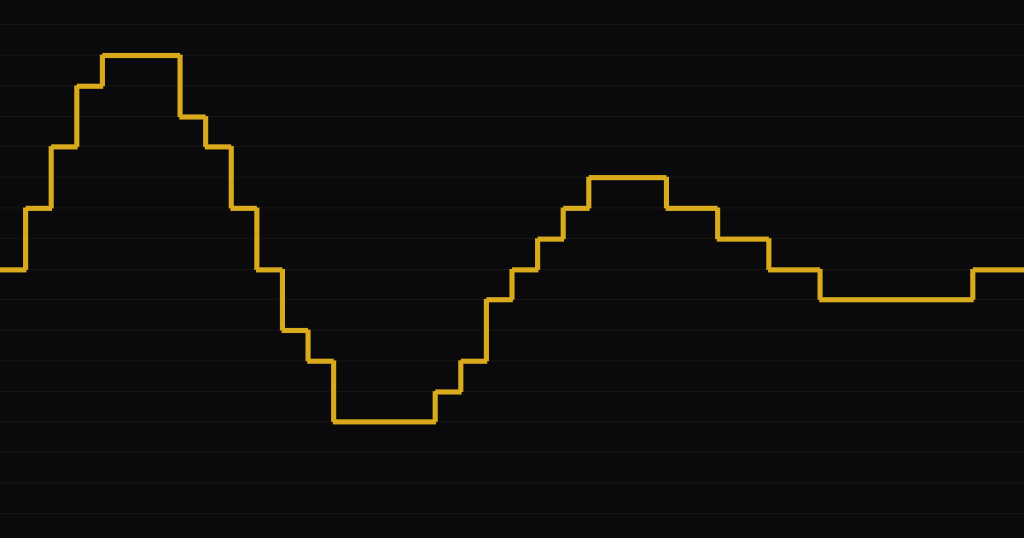
You probably already own a bitcrusher. Logic, Ableton Live, Cubase, FL Studio and Bitwig all ship one, and the best free plugins cost nothing, or at most a free account. So the real question isn’t where to get one. It’s which controls matter, which free plugins are still maintained, and whether a pedal is worth it.
I’ve used a lot of bitcrusher plugins over the years, and for this guide I checked every product below against its maker’s own page or manual on 8 October 2026: formats, parameter ranges, prices and whether it’s still supported. Some of what ranks for these searches turned out to be out of date, and I’ll point out where. If you want the theory first (what bit depth and sample rate reduction actually do to a sound), my bitcrusher glossary entry covers it with measurements.
- Logic Pro, Ableton Live, Cubase, FL Studio and Bitwig all include a bitcrusher. In FL Studio it’s called Fruity Squeeze, and it comes with all editions.
- My picks on features and support in October 2026 are TAL-Bitcrusher and Kilohearts Bitcrush. The original Tritik Krush is still free but no longer maintained; its successor Krush2 costs 10 euros.
- The pedals I checked run from $59.99 (Sonicake Wave Crush) and $99 (JHS 3 Series) up to $329 (Red Panda Bitmap 2). Cosmodio’s Pet Yeti has an “all-analog bit crusher” mode, but it’s extreme clipping, with no bit depth or sample rate to set.
- The two settings that matter most are bit depth and sample rate. 12 bits at about 26 kHz is the E-mu SP-1200’s sample format, a good starting point for SP-style drums.
What to look for in a bitcrusher
Most bitcrushers share the same two core controls, and the extras decide how useful one is. Here’s what I check before I use one.
- Bit depth range, ideally fractional. Going from 4 to 3 bits halves the number of steps, so whole-bit jumps are coarse. Pedals such as the Red Panda Bitmap 2 offer “fractional bit reduction”, which gives smooth sweeps.
- Sample rate in Hz, not just a factor. A rate shown in Hz lets you dial in a specific machine. A factor (2x, 10x) depends on your project’s sample rate.
- Filters before and after. A low-pass before the rate reduction limits what can fold back as aliasing, and nothing after the crusher can remove an alias once it’s there. A filter after it handles the rest: Ableton’s manual explains that Redux’s post filter “reduces imaging”, the harsh mirror frequencies above half the new rate. Without built-in filters, use an EQ on each side.
- Dither or noise. Low bit depths round quiet signals to silence. In my glossary test, a round-to-nearest crusher silenced everything below half a step: about -48 dBFS at 8 bits. A dither or noise option keeps tails alive.
- Jitter. A wobbly sample clock makes the effect less static. Live’s Redux, RiverFlux’s BIT LAYER and Tritik’s Krush2 all have it; Krush2’s manual describes its Jitter control simply: “Randomizes the sampling clock.” (Krush2 manual)
- A mix knob. I crush in parallel most of the time, so a dry/wet control saves me a send.
The bitcrusher already in your DAW
Before you download anything, open your DAW’s own device list. These are the DAWs I checked against their official manuals. I haven’t covered Pro Tools or Studio One here.
| DAW | Stock device | Bit depth | Sample rate | Extras |
|---|---|---|---|---|
| Logic Pro | Bitcrusher | 1 to 24 bits | Downsampling factor (10x = one tenth) | Fold, Clip and Wrap modes, Drive, Mix |
| Ableton Live | Redux | Bits knob | Rate (target sample rate), plus Jitter | Pre and post filters, Shape, DC Shift, Dry/Wet |
| Cubase and Nuendo | BitCrusher | 0 to 24 bits | Sample Divider | Four modes, Mix |
| FL Studio | Fruity Squeeze | Squarize knob | Use Distructor or Effector | Distructor’s Crusher module has Rate Crush and Bit Crush |
| Bitwig Studio | Bit-8 | Quantize section | Clock section | Gate, Shape with drive, anti-alias |
| REAPER | ReaDelay (per tap) | Resolution per delay tap | Not in ReaDelay’s controls | Free E-BitCrusher500 (VST3, Windows) |
| Audacity | None built in | Community BitCrusher.ny plugin | Community BitCrusher.ny plugin | Distortion effect is a waveshaper |
Logic Pro: Bitcrusher
Apple calls it “a low-resolution digital distortion effect”. Resolution runs from 1 to 24 bits. Downsampling is a factor: per Apple’s guide, “a value of 10x reduces the sample rate to one-tenth of the original”, so 44.1 kHz becomes 4.41 kHz. The Fold, Clip and Wrap modes decide what happens when the signal hits the Clip Level, which makes Logic’s version more of a distortion box than most (Apple, Logic Pro User Guide, Bitcrusher controls). GarageBand on iPad and iPhone has a Bitcrusher plug-in too (Apple, GarageBand for iPad User Guide).
Ableton Live: Redux
Redux covers both halves of the job in detail. Ableton’s manual says it “makes use of two different digital signal manipulation techniques: downsampling and bit reduction”. The downsampler has Rate and Jitter plus a filter before and after it, and the bit reducer adds Shape and DC Shift on top of Bits (Ableton, Live Audio Effect Reference). It’s included in Intro, Standard and Suite.
Cubase: BitCrusher
Steinberg’s BitCrusher has Depth from 0 to 24 bits, a Sample Divider for decimation, and four modes. The Cubase 9 plug-in reference says “Modes I and III are nastier and noisier, while modes II and IV are more subtle” (Steinberg, Cubase Plug-in Reference). Nuendo has the same plug-in (Steinberg, Nuendo Plug-in Reference).
FL Studio: Fruity Squeeze, Distructor and Effector
FL Studio does have a bitcrusher, it just isn’t named after one. Image-Line lists Fruity Squeeze as a “Bitcrusher effect for lo-fi and digital distortion sounds” in all editions (Image-Line, compare editions). There’s no plugin called “Fruity Bitcrusher”. Fruity Squeeze’s Squarize control “Reduces the bit-depth of the input sample stream”, but it has no sample-rate control (FL Studio manual, Fruity Squeeze). For rate reduction, use Distructor’s Crusher module, whose Rate Crush adds “‘aliasing’ noises” by design (FL Studio manual, Distructor). The other option is the LO-FI effect in Effector, an XY pad with bit depth on one axis and sample rate on the other (FL Studio manual, Effector).
Bitwig, REAPER and Audacity
Bitwig’s Bit-8 is “an audio degrader” with clock, gate, shape and quantize sections (Bitwig User Guide, Destruction). REAPER’s stock ReaDelay has a bit resolution control on each tap, and the REAPER effects guide notes that lowering it “can emulate the sound of early digital delay effects boxes” (REAPER Effects Guide). For a dedicated crusher on Windows, the free E-BitCrusher500 below is an option.
Audacity is the exception: it has no built-in bitcrusher. Its manual describes the Distortion effect plainly: “Technically this effect is a waveshaper” (Audacity Manual, index of effects). A community Nyquist plugin, BitCrusher.ny, was posted on the official forum in July 2021 and adds bits-per-sample and sample-rate controls (Audacity Forum, Bit crusher effect).
Best free bitcrusher plugins
I limited this list to plugins that are free (or pay-what-you-want from $0) and that their makers still offer. They’re ordered roughly by format and system coverage, with the paid Krush2 last for comparison.
| Plugin | Price | Formats | Systems | Notes |
|---|---|---|---|---|
| TAL-Bitcrusher | Free | VST, VST3, AU, AAX, CLAP | Windows, macOS, Linux | Companding control; maintained |
| Kilohearts Bitcrush | Free with account | VST2, VST3, AU, AAX | Windows, macOS | Rate down to 200 Hz, ADC/DAC quality, dither |
| RiverFlux BIT LAYER | Pay what you want, from $0 | VST3, CLAP, AU (Mac) | Windows, macOS, Linux | 8 crush layers, multiband |
| E-BitCrusher500 | Free | VST3; JSFX announced May 2026 | Windows | 4 to 16 bits, factor 1 to 200; store listed only the VST3 on 8 Oct 2026 |
| Audec Crush | Pay what you want, from $0 | VST3, AU | Windows 10, macOS 10.11 to 11.1 | Last update February 2021 |
| Tritik Krush2 | 10 euros | VST3, AU, AAX | Windows, macOS | Successor of the free Krush (v1 now legacy) |
TAL-Bitcrusher
TAL still lists it under “FREE Plug-Ins” (TAL Software, products), in VST, VST3, AU, AAX and CLAP, with a 64-bit Linux build in VST2 and VST3 (TAL Software, TAL-Bitcrusher). The current version is a remake of the original. TAL highlights a new control: “The new COMPANDING parameter is a great addition, letting you boost quieter audio and add even more noise and sparkle to your samples.” Companding is also the trick the original E-mu Emulator used to sound cleaner than plain 8-bit, as I explain in the bitcrusher entry, so it’s worth trying for that era. TAL notes that old presets aren’t compatible with the remake.
Kilohearts Bitcrush
Bitcrush is part of Kilohearts Essentials, which Kilohearts says is “available absolutely FREE” with an account (Kilohearts, Bitcrush). Its Rate control goes down to 200 Hz. The interesting part is the ADC Q and DAC Q controls, which model converter quality: “A lower value will add dissonant aliasing in the low frequencies.” It runs as VST2, VST3, AU and AAX, and as a Snapin inside Phase Plant and Multipass.
RiverFlux BIT LAYER
BIT LAYER is pay-what-you-want from $0. Instead of one crusher it has “eight independent crush layers with frequency targeting”, and the vendor page says “Each layer has its own bit depth, sample rate, jitter, effect order, mid/side routing, and gain” (RiverFlux Audio, BIT LAYER). The frequency targeting is the useful part: crush the top and leave the low end alone. It runs on Windows, macOS and Linux as VST3 and CLAP, plus AU on Mac, but there’s no AAX.
E-BitCrusher500
Windows-G’s free crusher was announced on KVR in May 2026 as a JSFX for REAPER, with “bit reduction (4-bit to 16-bit)” and “downsampling (1 to 200 factor)” (KVR Audio, May 2026). When I checked on 8 October 2026, the developer’s store listed only a free Windows VST3 version (Windows-G store), so Mac and Linux users should look elsewhere for now.
Audec Crush
Audec lists Crush as a free bit crusher, pay-what-you-want from $0, in VST3 and AU (Audec, Crush). The last update was 2.0.2 in February 2021, and the stated macOS support ends at 11.1, so test it before you build a project around it.
Two traps: legacy Krush and “analog bit crusher” pedals
- Tritik Krush is still free, but it’s legacy. Google’s AI Overview for “bitcrusher plugin” still presents it as a free, feature-rich plugin. Tritik says “The original Krush remains available as a free legacy download, but it is no longer maintained.” Its successor, Krush2, combines bit and rate reduction with filtering, compression and jitter, and a licence costs 10 euros, or nothing if you own KrushPro (Tritik, Krush).
- An “analog bit crusher” mode isn’t an adjustable crusher. Cosmodio is upfront that the BIT switch on its Pet Yeti is “basically the most extreme hard clipping physically possible” (Cosmodio, Pet Yeti). Squaring a wave off like that behaves roughly like a 1-bit crusher with no rate control, so you can’t dial in 8 or 12 bits. For the difference, see clipping.
Bitcrusher pedals
A pedal makes sense if you crush guitars, synths or drum machines without a computer, or if you want a knob to grab live. Prices below are each maker’s own US list price on 8 October 2026. Street prices can be lower.
JHS 3 Series Bit Crusher ($99)
On price and range, this is the one I’d point most people to first. JHS says “The Crush knob controls bit depth, moving from full 24-bit resolution counterclockwise down to 1-bit clockwise”, and the sample rate runs “from a clean 32.768 kHz down to 2.5 Hz” (JHS Pedals, 3 Series Bit Crusher). A Filter knob and a Type switch, which picks a low-pass or a band made from a high-pass and a low-pass, tame the top end.
Sonicake Wave Crush ($59.99)
The budget pick. Sonicake specifies “Sampling Rate: 750-44100Hz; Bit Depth: 5-16bits” with three modes (Sonicake, Wave Crush). The 5-bit floor means it can’t go as extreme as the JHS, but 5 bits is already deep into buzzy territory on low notes. Lower prices circulate online; the Wave Crush’s regular price on Sonicake’s own store is $59.99.
Electro-Harmonix Mainframe ($203.20)
EHX lists “Sample Rate Reduction ranging from 48kHz to 110Hz” and “Bit Depth Reduction ranging from 24-bit to 1-bit” (Electro-Harmonix, Mainframe). It launched in 2020 at a “USA street price of $179.00” (EHX launch announcement), and the current list price on ehx.com is $203.20.
Red Panda Bitmap 2 ($329)
The most flexible one, and the one with the smooth sweeps I mentioned earlier: “Fractional bit reduction from 24-bits down to 1-bit” and a sample rate from 48 kHz to 110 Hz, plus wavefolding (Red Panda, Bitmap 2). It was out of stock on Red Panda’s site when I checked.
DIY: Parasit Studio Beverly BitCrusher
If you build pedals, this is the simplest real crusher you can make. It’s “based on an 8-bit Analog-To-Digital converter IC”, and its Sample rate knob simply sets the converter’s clock (Parasit Studio, Beverly BitCrusher). Bit depth is fixed at 8, so you shape the sound with the rate and a Blend knob.
Not a bitcrusher: Chase Bliss Lossy
Chase Bliss’s Lossy ($399) often comes up in the same conversations. It’s a different effect: Chase Bliss says it “captures the special kind of degradation that happens to digital audio when it’s shrunk, transferred, and compromised”, which is closer to a bad MP3 than to an 8-bit sampler (Chase Bliss, Lossy).
How to use a bitcrusher: five starting settings
These are starting points, not recipes. Every crusher rounds and filters a little differently, so set them, then trust your ears. All five assume a crusher with bit depth in bits and sample rate in Hz. If yours uses a factor, divide your project rate by the target: for 26 kHz that’s roughly 1.8x at 48 kHz and 1.7x at 44.1 kHz. If it only takes whole numbers, 2x is the nearest.
1. SP-1200 drums: 12 bits, about 26 kHz
The E-mu SP-1200 stored 12-bit linear samples at 26.04 kHz, according to Rossum Electro-Music, the company of its original designer (Rossum Electro-Music, SP-1200). Set those two numbers on a drum bus or a break, and blend to taste. At 12 bits the noise sits far below the drums, so most of the character comes from the rate. Without a filter, everything above 13 kHz folds back down. The rest of the machine’s sound comes from its hardware, which a crusher doesn’t model. For its place in history, see my history of the Akai MPC, its main rival.
2. 808 and bass grit: 4 to 6 bits, in parallel
Crushing a sub directly chops its tail and piles harsh harmonics onto the low end. Instead, send the 808 to a parallel channel, crush it hard at 4 to 6 bits, low-pass the result somewhere around the upper mids, and blend it in low under the clean signal. In my glossary test, low notes crushed this hard put most of their error onto harmonics, and those harmonics help the 808 read on phone speakers.
Why not 8 bits? In my test the error sat about 49 dB below the tone, so a loud 808 barely changes. Watch the tail, though. At 4 bits a round-to-nearest crusher silences everything peaking below about -24 dBFS (about -36 dBFS at 6 bits), so drive the send hotter and pull the return down. My guide on how to mix 808s covers the rest of the chain.
3. Chiptune lead: 4 bits, 8 to 11 kHz
Four bits is the Game Boy’s wave-channel resolution: Nintendo’s programming manual gives “4 bits x 32 steps” (Game Boy Programming Manual, 1999). The 8 to 11 kHz rate is a taste setting, not a console spec. On a plain square or pulse lead, 4 bits changes little, because the wave mostly sits on two levels to begin with. On a sine, a saw or a pad, it turns the sound into a buzzy staircase. A lower rate adds the aliasing that makes it sound like a console rather than a fuzz box.
4. Lo-fi vocal: rate around 8 kHz, then a band-pass
Keep the bit depth high (12 bits or more) so you don’t gate the quiet syllables, and pull the rate down to around 8 kHz. Put a low-pass at about 3.5 kHz before the crusher, as steep as your EQ allows, so the sibilance doesn’t fold back as harsh aliases. Then band-pass the result. The rate reduction does the degrading, and the filters decide how ugly it gets.
5. Glitch transitions: automate the rate
Automate the sample rate down over the last beat before a drop, or switch it per step. Per-step automation on a groovebox such as the Akai MPC Live III works too, if your effect chain has a rate control. The same trick works on a drum machine’s output; my Arturia DrumBrute processing guide has more ideas for that kind of chain.
Bonus: crush inside the synth
These days I do a lot of my crushing inside the synth instead of on a channel. My Mayer EMI Vibes MD850 has a CRUSHER type in its waveshaper, before the filter, so each note gets crushed on its own and the filter can shape the grit. I explain why that sounds different in the bitcrusher entry. Firmware can add a crusher too, like the Bitcrush effect in the FM-1+VA firmware from my M-VAVE FM-1 custom firmware roundup.
Frequently asked questions
What does a bitcrusher plugin do?
It lowers the bit depth and the sample rate of audio on purpose. Fewer bits mean fewer loudness steps, which adds noise and, at low settings such as 4 bits, buzzy harmonics. A lower sample rate folds high frequencies back down as aliases. Together they produce the gritty, lo-fi sound of 8-bit and 12-bit samplers and game consoles.
What is the best free bitcrusher plugin?
On features and support, my picks are TAL-Bitcrusher and Kilohearts Bitcrush. TAL’s comes in 5 plugin formats including CLAP, runs on Linux, and adds a companding control. Kilohearts Bitcrush is free with an account and models converter quality. For multiband crushing, RiverFlux BIT LAYER stacks 8 crush layers and costs what you choose, from $0.
Is bitcrusher free?
Often, yes. Logic Pro, Ableton Live (all 3 editions), Cubase, FL Studio and Bitwig include one, and free plugins such as TAL-Bitcrusher and Kilohearts Bitcrush cover other DAWs. Audacity has none built in, but a free community plugin adds one. Paid options in this guide start at 10 euros (Krush2), and the cheapest pedal I checked was $59.99.
Does FL Studio have a bitcrusher plugin?
Yes. Fruity Squeeze is FL Studio’s bitcrusher, and Image-Line includes it in all editions. Its Squarize control reduces bit depth, but it has no sample-rate control. For that, use the Crusher module in Distructor, with its Rate Crush and Bit Crush controls, or the LO-FI effect in Effector. There is no plugin called Fruity Bitcrusher.
Are bitcrusher pedals digital?
The adjustable ones are. The JHS 3 Series, EHX Mainframe and Red Panda Bitmap 2 all reduce bit depth and sample rate down to 1 bit; EHX and Red Panda describe digital circuits. At least one analog pedal uses the name for extreme clipping: the BIT mode on Cosmodio’s Pet Yeti. Look for both a bit-depth and a rate control.