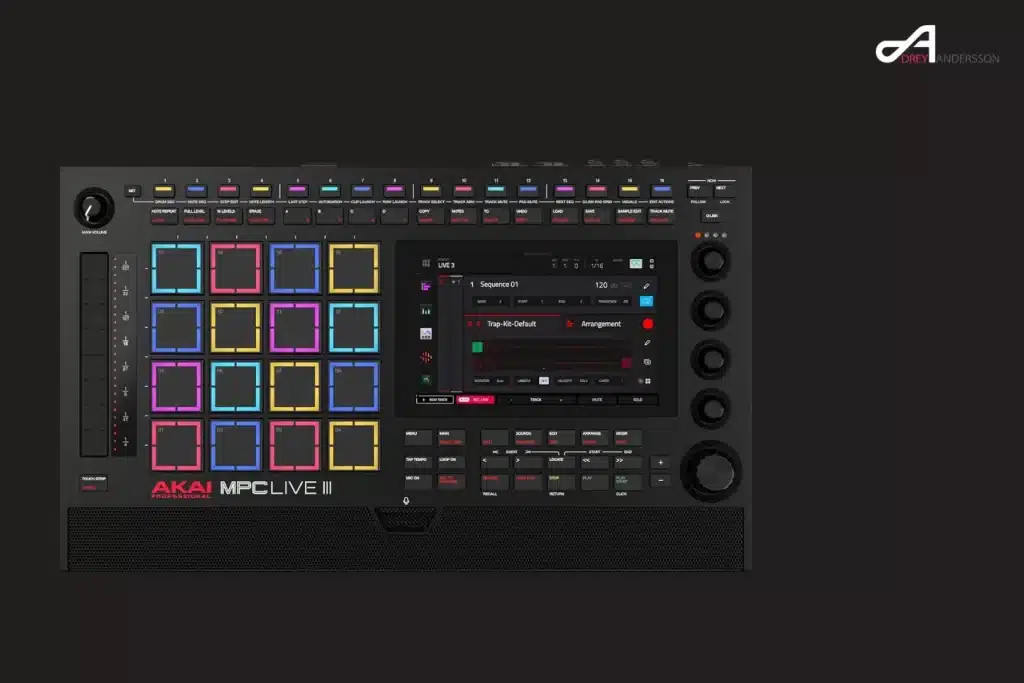
Akai released MPC 3.10.1 on 12 November 2026, and the headline feature is the MPC Plugin SDK: an official, free way to build your own instrument and effect plugins for standalone MPC and Force hardware. The release notes give it one line. So on 13 November I read Akai’s release notes, cloned the SDK repository and went through its documentation, and watched the three videos that matter: Akai’s own, Sonicstate’s interview with inMusic CTO Pete Goodliffe, and Loopop’s walkthrough.
The short version: this is a real opening, with clear limits, and it isn’t an open-source MPC. I didn’t build or install a plugin for this article. What I can give you is what the documentation actually says, including the parts the announcement leaves out. For the wider picture, see my roundup of which open-source synths and samplers are really open.
In short
- The MPC Plugin SDK is MIT-licensed and lives on GitHub. It’s built to be driven by an AI coding agent such as Claude Code or Codex, though you can write the C++ by hand.
- It works on every standalone MPC from the original MPC Live and MPC X up to the MPC XL, plus Force, on MPC OS 3.10.1 or later. You have to switch on External Plugin Support first.
- You can’t load your desktop VSTs. Plugins must be compiled for the MPC’s ARM processors, and the screen interface is described in JSON.
- Official SDK plugins can’t send MIDI, effects receive no MIDI, and there’s no crash protection. A buggy plugin can freeze or restart the MPC.
- MPC OS itself is still closed. Pete Goodliffe told Sonicstate that opening the whole operating system comes later.
What is the MPC Plugin SDK?
The MPC Plugin SDK is a free development kit from inMusic, Akai’s parent company, for building instrument and effect plugins that run inside a standalone MPC or Force. It’s published on GitHub under the MIT licence, and Akai’s firmware download page links to it as the “Developer Tool Kit”. Plugins you build with it are yours.
What surprised me is who it’s written for. The first line of the README says the SDK lets you build a plugin “from a plain-language description using an AI coding agent”. The repository ships nine agent skills each for Claude Code and Codex, covering new plugins, DSP, the screen interface, building, testing, packaging, presets, deployment and troubleshooting. The contribution guide asks authors to keep the docs exact because coding agents read them. In the Sonicstate interview, Goodliffe shows a felt-piano texture instrument and says he made his demo plugins with Claude.
You don’t need an agent. The getting-started guide describes the project layout as small enough to write by hand, and the box contains:
- A C++ framework: one header, mpc_plugin.h, that handles parameters, MIDI, transport, state and presets. The SDK’s FAQ calls it “about 600 lines”. The file I cloned has 836, comments included.
- DSP helpers: 14 small headers for oscillators, filters, envelopes, delay lines, LFOs, voice allocation and WAV loading.
- Three example plugins: an 8-voice subtractive synth (335 lines of C++), a tempo-synced stereo delay (142 lines) and a multi-output drum synth (337 lines).
- A build script: one command cross-compiles for both MPC processor families. It downloads the Zig compiler on first use, which the docs put at about 50 MB.
- A host simulator: a command-line host that behaves like the MPC, so you can test on your computer before anything touches the hardware.
- A UI kit: knobs, faders and switches for the touchscreen.
The repository was created on GitHub on 3 November 2026. Its history holds 31 commits dated from 24 October to 7 November, and every one I listed carries Goodliffe’s name. When I checked on 13 November it had 63 stars, 16 forks and three open issues. One of those issues already asks about MIDI plugins, which brings me to the limits further down.
A few things are worth knowing before you start. You don’t need JUCE, and DSP code written for JUCE, iPlug2 or DPF can be kept and re-wrapped. Samples and wavetables go in a Content folder inside the plugin, and every instance loads its own copy, so keep them small. Instruments can have extra outputs that the MPC routes as stereo pairs, and tempo and transport arrive with every block.
What’s new in MPC 3.10.1?
MPC 3.10.1 adds seven optional features that Akai calls experimental enhancements, and the Plugin SDK is only the first of them. Each one is switched on separately under Menu > Preferences > Enhancements. The release notes are short, so here they are in one table.
| Enhancement | What it does | Worth knowing |
|---|---|---|
| MPC Plugin SDK | Build and install custom instrument and effect plugins | Shown on the device as External Plugin Support |
| USB mouse support | An on-screen pointer for the standalone interface | Loopop found the pointer fast, with no speed setting |
| Screenshot capture | Saves the touchscreen as PNG files to the internal or an attached drive | Handy for tutorials and bug reports |
| Expanded track and plugin limits | Removes the separate audio-track and plugin-track limits; can lift instance limits on selected plugins | The overall track limit stays, and so does your CPU ceiling |
| Advanced audio settings | Buffer size, latency compensation and sample rate where the audio hardware supports it | Loopop got crackling at smaller buffers and suggests the defaults |
| Developer panel | System logs, resource monitoring, voice statistics, external plugin management | Loopop shows it giving remote access to the whole internal drive |
| Remote screen | Mirrors the screen and streams audio to a computer on the same network, with optional remote control and recording | Akai links a viewer app and drivers; Loopop says it slows things down |
Source: Akai’s MPC 3.10.1 release notes, read on 13 November 2026. The third column adds notes from the SDK documentation and Loopop’s video.
Two warnings sit in the release notes themselves. Akai writes: “Experimental enhancements may affect performance and stability.” And a project saved above the standard track or plugin limits loses the extra tracks or instances if you reopen it with that enhancement switched off. So if you share projects between two MPCs, switch the same enhancements on for both.
Apart from the enhancements, 3.10.1 fixes one crash, triggered by Redo in the browser with disk-streamed samples, and makes MPC Desktop check for updates on launch. The update is free, and it’s listed for Gen 1 and Gen 2 hardware, Force in standalone mode and MPC Desktop on macOS and Windows. The plugin feature is a standalone one. The SDK’s FAQ says the desktop software isn’t a target, although SDK plugins “may well load there”.
Which MPCs can run SDK plugins?
Every standalone MPC that can install MPC OS 3.10.1 can run SDK plugins, and so can Force. Older firmware ignores the plugin folder completely. The SDK splits the hardware into two processor families, and the build script compiles both versions from one source file.
| Group | Models | Plugin build |
|---|---|---|
| 32-bit ARM | MPC X, MPC X SE, MPC Live, MPC Live II, MPC One, MPC One+, MPC Key 61, MPC Key 37, Force | arm32 |
| 64-bit ARM | MPC Live III, MPC XL “and later” | arm64 |
| Not a target | MPC Studio and other controllers, MPC Desktop (plugins may load there), MPC Sample | None |
Source: SDK README and FAQ, 13 November 2026. The MPC Sample entry comes from Goodliffe’s Sonicstate interview and Akai’s video. Akai’s download page lists the MPC Key 37 G2 and MPC One G2 with the Live III and XL as Gen 2, but the SDK docs don’t name those two models.
The MPC Sample is a separate case. In Akai’s video, Andy Mac says it gets firmware 1.4 with official SDK support for effect plugins, and Goodliffe tells Sonicstate the plugin SDK covered here is for the main MPCs for now. I haven’t checked the MPC Sample release myself.
The 32-bit list is the interesting one. I use an MPC Live II in my dawless setup, mostly for sketching ideas away from the studio desk, and it’s a 2020 machine built on the older processor. Akai could have limited this to the new MPC Live III and MPC XL. It didn’t, and that includes the first MPC Live and MPC X from 2017.
How do you install a plugin on the MPC?
You copy the plugin’s folder into a folder called VST2 Plugins on a USB stick, SD card or the internal drive. There’s no installer and no account. The steps below come from the SDK’s getting-started and install guides.
- Update the MPC to 3.10.1 or later. Preferences > Info shows your version.
- Go to Preferences > Enhancements, which the SDK docs show as Enhancements (Beta), and switch on both Enable Enhancements and External Plugin Support. Until both are on, plugins stay hidden.
- Create a folder named exactly VST2 Plugins at the root of the drive.
- Copy the whole plugin folder into it. Its name follows the pattern Manufacturer – VST – Plugin Name.
- Open the plugin browser. Your plugin is listed under External Plugins: instruments as plugin programs, effects as inserts.
The MPC only looks at the direct children of VST2 Plugins, so don’t nest folders. To remove a plugin, delete its folder. Projects that used it still load, just without the plugin. To update one, copy the new folder over the old one, then remove and re-add the plugin on the track. And if a plugin refuses to load from a USB stick, the troubleshooting guide suggests trying the internal drive.
There’s also a network route. The SDK includes a tool that installs, updates and removes plugins over SSH once developer mode is on. The docs give the switch as a tap sequence in Preferences > Info: three taps on the version value, two on the serial number, one on the firmware version. They also tell you to switch it off again on a network you don’t control. I’d take that seriously, because developer mode starts the MPC’s SSH server.
Can you run your desktop VST plugins on a standalone MPC?
No. The folder is called VST2 Plugins, but a plugin from your computer won’t load. An MPC plugin is a Linux shared library compiled for ARM, and it follows the VST 2.4 binary interface only as a way for the MPC’s host to talk to it. Serum, Kontakt and the rest are built for Windows or macOS, not for the MPC’s Linux system, and they rely on their own plugin windows.
The second reason is the interface. The MPC never opens a plugin’s own window. Instead it draws the screen from JSON files in the plugin folder, which bind on-screen controls and the 16 Q-Link knobs to parameters. Without those files you get pages of 16 generic sliders.
Why VST2 at all, when Steinberg stopped licensing that SDK in 2018? The SDK’s answer is that the binary interface is simple, stable and what the MPC’s host already speaks. It says the kit contains no Steinberg code and uses an independent description of the interface. Goodliffe calls the result “VST2-ish” in the interview, which is fair.
What can’t MPC SDK plugins do?
SDK plugins can’t send MIDI, can’t draw free-form graphics and can’t protect the MPC from their own bugs. These limits are documented plainly, and they matter more than the feature list if you’re planning a plugin.
- No MIDI out. The host accepts MIDI from a plugin and then discards it. So an arpeggiator or step sequencer has to be an instrument that makes its own sound.
- No MIDI into effects. Instruments receive notes, controllers, pitch bend and aftertouch. Effects receive none of it.
- 44.1 kHz only. The host contract fixes the sample rate for plugins. Blocks default to 128 frames, and the user can choose from 32 to 512.
- No custom drawing. The interface is limited to what the JSON skin system offers: knobs, sliders, buttons, images, envelope displays and XY pads. Loopop’s plugins animate grains and playheads anyway, and he calls his method “a bit of a hack”.
- No sandbox. The plugin runs inside the MPC application. In the docs’ words: “A crash in your plugin crashes the MPC.”
- No store and no review. inMusic doesn’t test, sign or distribute third-party plugins, and the MPC shows a warning that they’re unsupported.
Then there’s processing power. The overview says a 32-bit MPC is “roughly a 2013 phone”, and the troubleshooting guide puts the MPC at 10 to 40 times slower than a laptop. The target is that one plugin instance stays well under 15% CPU on a 32-bit unit. That’s why lifting the track and plugin limits doesn’t mean much on its own. Goodliffe says the limits existed because of the CPU inside the MPC, and that CPU hasn’t changed.
Open MPC: the community got there first
Hobbyists were running plugins on standalone MPCs before this SDK existed, and Akai’s own FAQ credits them. The Open MPC catalog listed 227 plugins and add-ons for MPC and Force when I looked on 13 November 2026. The difference was the route in: the SDK’s FAQ says the community method involved modifying the MPC’s system files, while the official one needs only the folder and a preference switch.
Source: the filter counts on open-mpc.github.io, 13 November 2026. The catalog shows 227 listings in total, so some sit in more than one type. Red marks MIDI plugins, whose output the official host discards.
That red bar is the gap. The community catalog files 18 listings under MIDI, the kind of plugin the official host contract rules out. Loopop lists two wishes: loading any sample from inside a plugin, and MIDI effects and sequencers for other tracks. One of the three open issues on the SDK repository asks for MIDI plugins too.
The two worlds are close. Per the SDK’s FAQ, community plugins use the same binary interface and the same skin format, so porting is mostly a matter of folder layout. The SDK ships a converter for community packages in its tools folder. Loopop says the catalog’s plugins didn’t run as-is on the official firmware when he filmed, but that converting a few worked with one AI prompt. The catalog itself now states that on 3.10.1 its Plugin Manager installs every plugin into VST2 Plugins. I haven’t tested that claim.
What’s in there? Ports of Mutable Instruments modules, FM synths, 303 and drum machine emulations, tape and reverb effects, and Loopop shows a community vector synth too. If you’ve wanted granular synthesis on an MPC, his free grain synth is the first SDK-built example I’ve seen demonstrated.
Is MPC OS open source now?
No. MPC 3.10.1 opens a plugin slot, and the operating system and the MPC application stay closed. The SDK’s licence note is explicit that the MPC firmware, its skins and its content aren’t part of the kit. Another inMusic repository publishes open-source components used in its software, described as a licence compliance release. That isn’t the MPC source either.
More is promised. In the Sonicstate interview from ADC 2026, Goodliffe says: “We will also be opening up the entire operating system.” He puts that a few weeks after this release and describes a switch between an experimental mode and a trusted system, so a unit can’t be left unusable. He adds that people will be able to replace the operating system with their own, on Gen 1 units too. Note the wording: he talks about opening up and never says open source. Until that ships it’s a statement of intent, and I treat it the way I treated the SampleKey promises in my open-source roundup.
MusicRadar compares Akai’s current approach to Korg’s logue SDK, where you add units to the firmware and don’t replace it. That matches what I see in the docs. If that model is new to you, my entry on the Korg drumlogue covers how user units work there. The M-VAVE FM-1 went the other way, and my FM-1 custom firmware ranking shows what full firmware replacement looks like.
Also announced: SP-1200 plugin, AIR 4K and Creator Lab
Akai used the same video to announce two plugins of its own. The first is an SP-1200 emulation, which Andy Mac says brings the original’s bit reduction and time stretching character to the MPC and will be available “very soon”. The second is the AIR 4K channel strip with four modules: channel strip, dynamics with compressor, gate and expander, an EQ with black and brown modeled circuits, and a preamp. MusicRadar describes it as SSL SL 4000 style. Akai gave no price or date for either in the video.
Akai also announced a Creator Lab space at NAMM 2027 for developers and modders. And Goodliffe made a point I think matters for anyone worried about the direction: community plugins are meant to add to Akai’s own plugin development, and Akai will keep making its own.
Should you update to MPC 3.10.1?
If you make music on a stable setup and have no interest in plugins, nothing here forces a decision: every enhancement is off until you switch it on. If you’re curious, update, enable External Plugin Support and try one small plugin first. I’d follow four rules:
- Save before you load. There’s no crash isolation, so treat every new plugin as a test until it has survived a full session.
- Don’t experiment before a gig. Freeze your plugin set well ahead of a live set. Switching External Plugin Support off isn’t a safe shortcut, because with the setting off your projects won’t load their external plugins.
- Watch the CPU meter on Gen 1. The docs’ target is well under 15% CPU per instance on a 32-bit MPC, and several instances multiply that.
- Know your exit. If the MPC freezes on a plugin, the docs’ fix is to remove that plugin’s folder from the drive.
My view: this is the most useful kind of opening for people who actually make music on these machines. A full open-source release would have made bigger headlines. A documented plugin format that’s meant to work on a 2017 MPC Live, with a simulator and a no-modification install, will produce more instruments people can use next month. The missing MIDI output is the real limit, and it’s the first thing I’d want fixed.
If you’re new to the platform, my history of the Akai MPC explains how it got here, and my guide to loading your own wavetables into the MPC covers a way to customise the sound that needs no plugins at all.
Frequently asked questions
Is the MPC Plugin SDK free?
Yes. The SDK is a free download from GitHub under the MIT licence, and MPC OS 3.10.1 is a free update. You need Python 3.9 or newer and a computer running macOS, Windows or Linux. The build script fetches its compiler on first use, and plugins you build with the SDK belong to you.
Do I need to know how to code to make an MPC plugin?
Not necessarily. The SDK is designed for AI coding agents such as Claude Code and Codex, and ships with 9 ready-made skills per agent plus example prompts. The getting-started guide claims a first plugin in about half an hour. If you can code, the framework is one C++ header with three complete example plugins to copy from.
Which MPCs support the MPC Plugin SDK?
All standalone MPCs on MPC OS 3.10.1 or later: MPC X, X SE, Live, Live II, One, One+, Key 61 and Key 37 on the 32-bit side, MPC Live III and MPC XL on the 64-bit side, plus Force. MPC Studio controllers and the desktop software aren’t targets, and the MPC Sample gets its plugin support separately in firmware 1.4.
Can a third-party plugin crash my MPC?
Yes. Plugins run inside the MPC application with no sandbox, so a bug can freeze or restart the unit. The SDK docs advise testing in the host simulator first and keeping one instance well under 15% CPU on 32-bit hardware. To recover, remove the plugin’s folder from the VST2 Plugins folder on the drive.
Can I sell plugins I make with the MPC Plugin SDK?
The SDK’s FAQ says that’s between you and your users. The SDK is MIT-licensed and inMusic doesn’t review, sign or distribute third-party plugins, so there’s no store and no approval step as of November 2026. Check the licence of any open-source DSP code you include, because many libraries carry their own obligations.
Sources
Everything was read or watched on 13 November 2026. Statements about the SDK come from the files in the repository at commit febd2ca. Video statements are paraphrased from the recordings unless they’re in quotation marks. I didn’t build, install or test any plugin for this article.
- Akai Professional: MPC release notes, MPC firmware downloads, and the announcement video embedded above.
- inMusic on GitHub: MPC Plugin SDK, with its FAQ and legal notes, host contract, install guide and troubleshooting guide. Also the open-source components repository.
- Sonicstate: interview with Pete Goodliffe at ADC 2026. The operating system statement comes at about 4:30.
- Loopop: the walkthrough embedded above.
- Open MPC: community plugin catalog.
- Press coverage I read: Synth Anatomy, MusicRadar and Matrixsynth.
Published 13 November 2026. I’ll update this page when Akai opens the operating system or adds MIDI plugin support.