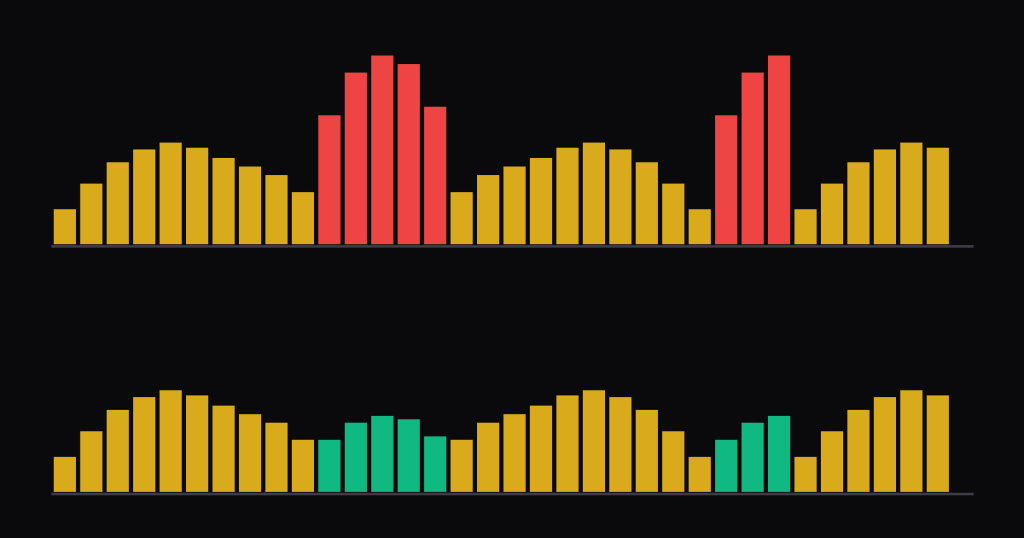
What is a de-esser?
A de-esser is a compressor that only listens to the hiss of “s” sounds. It turns the voice down for the few milliseconds an “s”, “sh” or “ch” is too loud and leaves everything else alone. The detector hears a filtered copy of the signal, so only bright, noisy consonants push it over the threshold.
That is the whole trick, and it is an old one. A Warner Bros. engineer described it in a 1942 film-sound paper, and today DAWs such as Logic and Pro Tools ship with their own. What changes between designs is what gets turned down: the whole signal (wideband) or only the top end (split-band). I tested both on a synthetic voice further down, because that choice largely decides how audible the de-esser is.
- A de-esser is a compressor whose detector is filtered to the sibilance band, roughly 4 to 10 kHz in several manuals and guides.
- Sources disagree on where sibilance sits. Apple gives 3-6 kHz for men and 5-8 kHz for women; FabFilter says 8 to 10 kHz for normal vocal s-sounds.
- In my test, a wideband de-esser pulling an “s” down by 12 dB also pulled the vowel under it down by 12 dB. A split-band one at 4.5 kHz changed the vowel level by at most 0.06 dB.
- Split-band is not free either: put the crossover above the low edge of the “s” and the same setting removes only 5.7 of the 12 dB.
- Too much de-essing makes a singer lisp. Fix the worst esses by hand and let the plug-in handle the rest.
What is sibilance?
Sibilance is the hiss in “s”, “z”, “sh” and “ch”. Mike Senior at Sound On Sound calls these sounds “noisy high-frequency consonants created by the turbulence as air whistles through a singer’s teeth” (SOS). Because they are noise rather than pitched sound, they behave differently from the vowels around them. My vocoder entry shows the same split from the other side: a synth carrier can’t reproduce noisy consonants such as “s”, so vocoders add a separate noise source for them. With a talk box, the instrument supplies the pitch and the player’s lips and tongue make the consonants.
Where the energy sits depends on the voice, the word and the mic. Here is what the sources I checked actually say:
| Source | Men | Women | General |
|---|---|---|---|
| Mike Senior, Sound On Sound | 4-10 kHz | ||
| Avid De-Esser III guide | 4-10 kHz | ||
| Softube Deesser manual | 4-10 kHz, adjust per voice | ||
| iZotope | 4-10 kHz, as low as 1.5 kHz | ||
| Paul White, Sound On Sound (1997) | usually 5-8 kHz | ||
| Matt Houghton, Sound On Sound (2020) | higher than men | most energy at 3-6 kHz | |
| Apple, Logic Pro support | 3-6 kHz | 5-8 kHz | |
| Apple, Logic Pro for iPad guide | 5-10 kHz | ||
| FabFilter Pro-DS help | 8-10 kHz for normal vocal s-sounds | ||
| Waves DeEsser presets | 4,500 Hz (ess), 3,385 Hz (shh) | 6,779 Hz (ess), up to 9 kHz; 5,077 Hz (shh) | averaged over many voices |
| Jongman, Wayland and Wong, JASA 2000 | 6,122 Hz* | 6,800 Hz* | /s/ and /z/ peak 6,839 Hz, /sh/ 3,820 Hz |
| Reilly, JSLHR 2020 (14 speakers) | /s/ 6,360 Hz, /sh/ 2,772 Hz | /s/ 9,048 Hz, /sh/ 3,758 Hz | small sample |
Two things are consistent. Women’s esses sit higher than men’s in every source that splits them, and “sh” sits lower than “s”: Waves puts “shh” sounds nearly an octave below “ess” sounds. Beyond that, the numbers spread from under 3 kHz (Reilly’s male /sh/) to 10 kHz, and the Waves manual even shows one ess centred about 12 kHz, which it calls rather high. iZotope warns that some singer and mic combinations go “as low as 1.5 kHz” (iZotope). So treat any chart of sibilance frequencies as a place to start sweeping, not an answer.
Recording and processing make it worse. Close miking and condenser mics exaggerate sibilance, as Orban’s 536A manual already noted in 1993 (Orban). Matt Houghton points out that “lots of vocal mics are voiced with a broad boost somewhere around 5kHz” (SOS). Compression adds to it: as Mike Senior notes, “most compressors won’t react a great deal to the high-frequency energy produced by sibilance” (SOS). The vocal gets squashed, and the esses don’t.
How a de-esser works
A de-esser splits the job in two. One path decides when to act, the other path is what gets turned down. In Senior’s words, it works by “EQ’ing the signal feeding the processor’s detector circuit independently of the signal passing through the processor’s gain-reduction element”. Paul White put it more bluntly in 1997: a conventional de-esser is a compressor with an equaliser in the side chain (SOS).
The detector filter is either a band-pass filter around one ess frequency or a high-pass that looks at everything above it. Waves explains the trade-off in its DeEsser manual: high-pass catches a variety of esses, band-pass targets one specific ess, and high-pass also raises the chance of compressing strings and other high instruments (Waves manual).
Full-band and split-band designs
Matt Houghton describes the two families: “They may be ‘full band’, and duck the whole signal like a regular compressor, or ‘split-band’ and duck only the sound above a crossover frequency.” The makers’ recommendations differ:
- FabFilter: “especially with single vocal material, Wide Band sounds more natural”, while Split Band is often best for full mixes (Pro-DS help).
- Waves defaults to Split, and its manual says: “If you must de-ess a mixed track of instruments and vocals, the Split method is nearly essential.”
- Universal Audio: “In normal use Split should be enabled” (Precision De-Esser manual).
- Avid’s De-Esser III has an HF Only switch: on, only the band above the frequency is reduced; off, the whole signal is (Avid).
The old complaint about wideband is that it audibly ducks everything. A 1985 review of the DOD R-825 warned that with heavy settings, “every time the vocalist triggers the effect – the orchestra fades into the background” (Home & Studio Recording via muzines). My test below puts numbers on that.
Dynamic EQ, multiband and spectral de-essers
Split-band de-essing is really one band of dynamic EQ, and Senior notes that almost all off-the-shelf de-essers work this way. Houghton adds that “Multiband compressors can be configured as de-essers too”, with dynamic EQ giving finer control over which frequencies move and by how much. Logic’s DeEsser 2 is built the same way: it only cuts its band when the band crosses the threshold, “preventing the sound from becoming darker when no sibilance is present” (Apple). A static EQ cut can’t do that, because it dulls the vowels too. iZotope RX goes furthest: its Spectral mode “is a multiband compressor with dozens of bands” (iZotope RX).
Relative threshold, lookahead and listen
Three features separate modern de-essers from a compressor with a filter in the side chain:
- Relative or level-tracking threshold. In Logic’s Relative mode, the filtered level “is compared with the full-bandwidth level of the incoming signal”, and Relative is the default. SPL’s auto threshold, reviewed in 1997, did the same so the de-essing stays constant as the singer moves. A fixed threshold catches loud lines and misses quiet ones.
- Lookahead. FabFilter allows up to 15 ms and says “when de-essing vocals, a lookahead value of about 10 ms is optimal”. It adds latency, so Softube suggests turning it off while tracking (Softube).
- Listen. Most de-essers let you solo the side chain. Senior’s tip: the nastier the sibilance sounds there, the easier it is to detect. Houghton also wants the delta signal, meaning only what is being removed.
Wideband vs split-band: what my test shows
I wanted to know how much each design changes the sound that is not an “s”. So I built a small, deterministic numpy test. A synthetic vowel (two vowels, /a/ and /i/, at five pitches from 98 to 349 Hz) gets a 160 ms burst of noise band-limited to 5-9 kHz, standing in for the “s”. One detector feeds both designs: a band-pass from 4.5 to 10 kHz, 0.5 ms attack, 60 ms release, 10:1. I set the threshold so the median gain reduction on the “s” is exactly 6 dB or 12 dB. Wideband multiplies the whole signal by that gain. Split-band only applies it above a crossover at 3, 4.5 or 6 kHz. Because the gain curve is identical, any difference comes from the design alone.
Here is what came out, over all 60 combinations of vowel, pitch, “s” level and depth:
- Wideband takes the vowel down with the “s”. That follows from the design, but the size is worth seeing. At the 12 dB setting the vowel under the “s” dropped 11.9 to 12.1 dB, at 6 dB it dropped 5.9 to 6.1 dB. The tone stayed the same (the spectral centroid moved by at most 1.6 Hz), it just got quieter. That is the orchestra fading in the 1985 review.
- A slow release ducks the next syllable too. When a vowel followed the “s”, a wideband de-esser at 12 dB with my 60 ms release still held its first 30 ms down by 6.7 to 8.0 dB (at 6 dB: 0.9 to 2.0 dB). That release is longer than the 2 to 50 ms AudioTechnology calls typical, so I reran it with the “s” at -6 dB: 6.8 to 7.4 dB at 60 ms, 2.1 to 3.8 dB at 30 ms, at most 1.9 dB at 10 ms. Split-band at 4.5 kHz stayed within 0.05 dB in every case.
- Split-band at 4.5 kHz left the vowel level alone (at most 0.06 dB change). Only 0.02% to 1.1% of the vowel’s energy sat above the crossover. But that top end is what got cut: the vowel’s 8-16 kHz band dropped by the full 12.2 to 12.4 dB at the 12 dB setting.
- A low crossover starts to dull the vowel. At 3 kHz the brightest case (/i/ at 349 Hz) lost 1.7 dB of level at the 12 dB setting, and its spectral centroid fell by 899 Hz while the de-esser worked, because the third formant of /i/ sits at 3,010 Hz, right on the crossover.
- A high crossover misses part of the “s”. With the split at 6 kHz, the same 6 dB gain reduction removed only 3.8 dB from the 5-9 kHz “s”, and 12 dB removed 5.7 dB. The part of the hiss below the split passes untouched, whatever the meter says.
- Deep settings on a quiet “s” start catching vowels. At 6 dB, no vowel on its own triggered more than 0.02 dB of reduction. At 12 dB with an “s” 12 dB below the vowel, the threshold sat so low that the bright /i/ at 349 Hz triggered about 6 dB on its own, with no “s” anywhere. With the “s” at -6 dB it fell to about 1.4 dB, and with an equal-level “s” to zero.
| Setting | Design | “s” removed (dB) | Vowel level drop (dB) | Vowel 4-8 kHz drop (dB) | Vowel centroid shift (Hz) | Next vowel, first 30 ms (dB) |
|---|---|---|---|---|---|---|
| 6 dB | Wideband | 5.9 to 6.1 | 5.93 to 6.08 | 6.2 to 6.4 | -1 to +2 | 0.91 to 1.99 |
| 6 dB | Split-band, crossover 3 kHz | 5.9 to 6.1 | 0.00 to 1.26 | 6.2 to 6.4 | -662 to -4 | 0.00 to 0.57 |
| 6 dB | Split-band, crossover 4.5 kHz | 5.9 to 6.1 | 0.00 to 0.05 | 2.7 to 3.6 | -42 to -1 | 0.00 to 0.02 |
| 6 dB | Split-band, crossover 6 kHz | 3.8 | 0.00 | 0.2 to 0.5 | -7 to 0 | 0.00 |
| 12 dB | Wideband | 11.9 to 12.1 | 11.93 to 12.08 | 12.2 to 12.4 | -1 to +2 | 6.72 to 7.99 |
| 12 dB | Split-band, crossover 3 kHz | 11.9 to 12.1 | 0.00 to 1.66 | 12.2 to 12.4 | -899 to -4 | 0.00 to 1.48 |
| 12 dB | Split-band, crossover 4.5 kHz | 11.9 to 12.1 | 0.00 to 0.06 | 4.0 to 5.5 | -54 to -1 | 0.00 to 0.05 |
| 12 dB | Split-band, crossover 6 kHz | 5.7 to 5.8 | 0.00 to 0.01 | 0.3 to 0.6 | -9 to 0 | 0.00 |
So my reading is this: split-band keeps the level steady but takes the air off the vowel while it works, and wideband keeps the tone but moves the level. Neither is “clean”. That may be why FabFilter finds wideband more natural on a single vocal and Waves calls split nearly essential on a mixed track: on a mix, a wideband dip would take every other instrument on that channel down with the “s”.
The limits of this test: the vowels are synthetic, with the male Peterson and Barney formants for F1 to F3 (table via Princeton) and my own assumptions above that. There is no breath noise, so a real voice carries more high-frequency energy, and a split-band de-esser would likely change it more than here. It is not a test of any specific plug-in.
Where a de-esser goes in the chain
There is no single answer, and the sources openly disagree. The 1981 Orban manual wanted the de-esser last, because EQ and compression “act to boost sibilants to unnatural and offensive levels; the de-esser then knocks down the sibilants” (Orban 516EC manual). Paul White found “the most natural-sounding results are achieved by compressing after de-essing”.
| Source | Where the de-esser goes |
|---|---|
| Orban 516EC manual (1981) | Last, after EQ and compression, because those boost sibilants |
| Avid De-Esser III guide | After compressor or limiter plug-ins |
| Mike Senior, SOS | Normally post-compression and post-EQ, before distortion-based enhancement |
| Matt Houghton, SOS | Usually early in the chain, then re-tweaked after later EQ, compression and saturation |
| Paul White, SOS (1997) | Compress after de-essing for the most natural result |
| iZotope | Any order is valid; before EQ allows more top-end boost |
The disagreement makes sense once you see that the three processes feed each other. iZotope calls all orders valid, “Because these three processes – EQ, compression, and de-essing – are interdependent”. A de-esser before a bright EQ lets you boost more top end. One after the compressor catches the esses the compressor made louder.
The one placement nobody in these sources argues against is the effects send. Senior puts a de-esser first in the reverb return “to prevent sibilants splashing around undesirably in reverbs, delays, and modulation treatments”. Houghton prefers it on the aux channel just before the effect, so the dry vocal stays exactly as it is. Production Expert puts it vividly: “A big burst of high frequency ess going into a bright reverb will create a big ’tish’ of reverb.” So if a vocal feeds a bright plate reverb, the send is the first place to put one.
De-esser settings that work
The de-esser plug-ins cited in this entry are FabFilter Pro-DS, Waves DeEsser, Universal Audio’s Precision De-Esser, Softube Deesser, Logic’s DeEsser 2, Avid’s De-Esser III and the de-ess module in iZotope RX. I don’t rank them here. The settings below are starting points that manuals and engineers have published, not rules. The ear decides, preferably with the side chain soloed first and the full mix playing second.
| Setting | Published starting point | Source |
|---|---|---|
| Detector frequency | High-pass the detector at about 4 kHz; if needed add a big peak boost at about 7.5 kHz | Senior, SOS |
| Preset frequencies | Male ess 4,500 Hz, female ess 6,779 Hz; default 5,506 Hz, high-pass side chain, Split | Waves manual |
| Attack | Sub-1 ms if possible; typical units a millisecond or less | Senior, AudioTechnology |
| Release | Around 10 ms so it resets after each ess; typical units 2 to 50 ms | Senior, AudioTechnology |
| Speed presets | Fast 0.5 ms / 30 ms, Slow 2.0 ms / 120 ms, fixed 7:1 ratio | UA Precision De-Esser |
| Amount | Four or five dB made a considerable difference; range controls go down to -40 dB | White, SOS, Avid |
| Threshold mode | Relative (follows the full-band level) is the default in Logic and RX | Apple, iZotope RX |
| Lookahead | Up to 15 ms; about 10 ms for vocals | FabFilter |
How much to take off is the easiest setting to overdo. Paul White found that “four or five dB of ‘ess reduction’ is enough to make a considerable difference” on the SPL unit. Engineer David Nicholas, quoted by AudioTechnology, keeps it simpler: “With a de-esser, if you can hear it working, then it’s too much.” Waves’ manual has the most memorable warning: “If your singer starts sounding as if you have removed their two front teeth, then the Threshold is too low!”
Two more habits from Senior are worth stealing. Layered backing vocals can usually take heavier de-essing “without lisping creeping in”, so you can bus them to one de-esser. And if you set the de-esser to tame the very worst esses, “the likelihood is that the less offensive ones will lisp”. Fix the worst few by hand and set the plug-in for the rest.
Other uses: hi-hats, cymbals, guitars and mastering
A de-esser is just a fast, frequency-aware compressor, so it works on anything with a harsh band that comes and goes:
- Hi-hats and cymbals. UA markets its Precision De-Esser for drum overheads and hi-hats. Softube suggests using its Deesser to “tame aggressive cymbals in a full mix”, and AudioTechnology mentions removing hi-hat bleed from a snare mic.
- Guitars. iZotope suggests one around 4 kHz on harsh amp-sim guitars. Production Expert uses one on string squeaks, which are narrower than esses and “around 3KHz is common”.
- Flutes and other winds. Avid lists wind instruments such as flutes next to vocals (Avid).
- Mastering. FabFilter says Pro-DS in Allround and Split Band mode works as a high-frequency limiter, and that “only de-essing the mid-signal will leave all stereo content untouched”. iZotope warns that on a master it is usually shakers and hi-hats that trigger a de-esser when it isn’t needed (iZotope).
De-essing by hand: clip gain, automation and mic technique
The simplest de-esser is a hand on a fader. Senior calls turning the vocal down at each sibilant the simplest method, by fader automation or by editing the esses onto their own track. Adding to Paul White’s answer in an SOS Q&A, Senior suggests “ducking the fader level a few dB at every ‘s'” (SOS Q&A). iZotope’s advice is to “Try clip-gaining or level automation first”, since every ess gets its own treatment.
- Esses on their own track. Houghton’s favourite is to “cut out the esses and put them on another DAW track”, where he can ride or low-pass them and they no longer trigger the compressor on the main vocal.
- A static EQ cut. Houghton usually tries this first; “the best results can sometimes require two or three narrow cuts”.
- Offline editors. He rates offline tools like RX as probably the most accurate, and Melodyne 5 and Revoice Pro can find esses and pull them down.
- At the mic. Houghton suggests hanging the mic upside down from slightly above, out of the path of the air blast. White adds that “singing over or under, rather than into, the mic can help”, and in difficult cases a dynamic mic.
Before 1942, Warner Bros. did it by hand too. Until it fixed its compressors, staff reduced each sibilant “by manually applying a layer of semi-opaque ink over each of the offending sections of the record” (Miller, JSMPE 1942). That took about two hours per reel of dialogue.
A short history of the de-esser
The earliest technical source I could find is Burton F. Miller’s paper in the Journal of the Society of Motion Picture Engineers, November 1942. Miller worked at Warner Bros. in Burbank. Once compressors were in every recording channel, sibilants were occasionally “exaggerated to the point of being reproduced as harsh whistling tones”. Cutting treble fixed the esses but left a track “definitely lacking in high-frequency signal energy content”. His fix was “equalization of the compressor control-rectifier input circuit”. In other words, side-chain EQ, the principle every de-esser still uses. AudioTechnology dates Warner’s system to 1939; the dated paper is from 1942.
| Year | Milestone | Source |
|---|---|---|
| 1942 | Burton F. Miller (Warner Bros.) publishes side-chain EQ for compressors to stop exaggerated sibilance (JSMPE, Nov 1942) | JSMPE via archive.org |
| Early 1960s | Ortofon’s STL631 Treble Limiter in the cutter control circuit of its disc-cutting system | AudioTechnology |
| Mid-1970s | Orban 516EC Dynamic Sibilance Controller, the earliest stand-alone unit the AudioTechnology author could find | AudioTechnology |
| 1980s | dbx 902; engineer David Nicholas recalls that every rack in the world had a pair of them | AudioTechnology |
| 1985 | DOD R-825 compressor with a built-in de-esser reviewed | H&SR via muzines |
| 1997 | SPL Auto Dynamic De-esser reviewed: it cancels the detected esses by adding them back out of phase, with auto threshold | Sound On Sound |
| 1999 | Waves DeEsser ships in Native Power Pack II | Sound On Sound |
| 2012 | FabFilter releases Pro-DS on 5 October | FabFilter |
| 2019 | Logic Pro 10.4.5 adds the all-new DeEsser 2 | Apple |
| 2022 | dbx brings the 902 back as the 500-series 520 | Tape Op |
Miller’s paper never uses the word de-esser. The 1981 Orban manual is the earliest dated use I found, and it already says “De-essers have been with us for years, usually as frequency-dependent side-chains in limiters or compressors.” A 1985 reviewer called it “probably the most onomatopoeic word in modern music technology”. I couldn’t find who coined it, so I won’t guess.
A de-esser is one of the more specialised tools in a VST folder, but it solves a problem that has been around as long as compressed vocals. If you want the vowel side of the voice explained, see formant synthesis.
Frequently asked questions
What does a de-esser do?
A de-esser turns down harsh s, sh and ch sounds in a vocal. It is a compressor whose detector only hears a filtered high band, usually somewhere between 4 and 10 kHz, so it reacts to sibilance and mostly ignores the vowels. Wideband models lower the whole signal; split-band models lower only the top end.
What frequency should a de-esser be set to?
Start by sweeping between about 4 and 10 kHz with the side chain soloed. Apple gives 3-6 kHz for male and 5-8 kHz for female voices, the Waves presets use 4,500 Hz and 6,779 Hz, and FabFilter says normal vocal s-sounds sit around 8 to 10 kHz. The voice decides in the end.
Should a de-esser go before or after compression?
The sources disagree. Avid and Mike Senior put the de-esser after the compressor, Paul White found compressing after de-essing more natural, and Orban’s 1981 manual wanted it last in the chain. Matt Houghton suggests stacking two de-essers in series when one setting can’t do it all, and both he and Senior put one on the reverb send.
How much gain reduction should a de-esser apply?
Less than you think. Paul White found four or five dB of ess reduction enough to make a considerable difference. In my test, a wideband de-esser pulled the vowel under the s down by as much as the s, 6 or 12 dB. If you can hear it working, or the singer starts to lisp, back it off.
Is a dynamic EQ the same as a de-esser?
Nearly. A split-band de-esser is one band of dynamic EQ aimed at the sibilance region, and Sound On Sound notes most commercial de-essers work that way. A dynamic EQ gives finer control over which frequencies move and by how much. A dedicated de-esser adds things like relative threshold, lookahead of around 10 ms and a listen button.
Can you use a de-esser on hi-hats and cymbals?
Yes. Universal Audio markets its de-esser for overheads and hi-hats, and Softube suggests one for aggressive cymbals in a full mix. Use split-band mode, solo the side chain to find the harsh band within the 2 to 16 kHz range of the UA plug-in, and start with a small amount of reduction.
Back to Music Production Terms Index Page